
Manditally 2.0
Mandi, trading and GST accounting for arhtiyas and traders. Form-I, Form-J, sale and purchase bills, GSTR, TDS, stock and final accounts in one keyboard-first program.
आढ़तियों और व्यापारियों के लिए मंडी, व्यापार और GST का पूरा हिसाब - एक ही सॉफ़्टवेयर में।
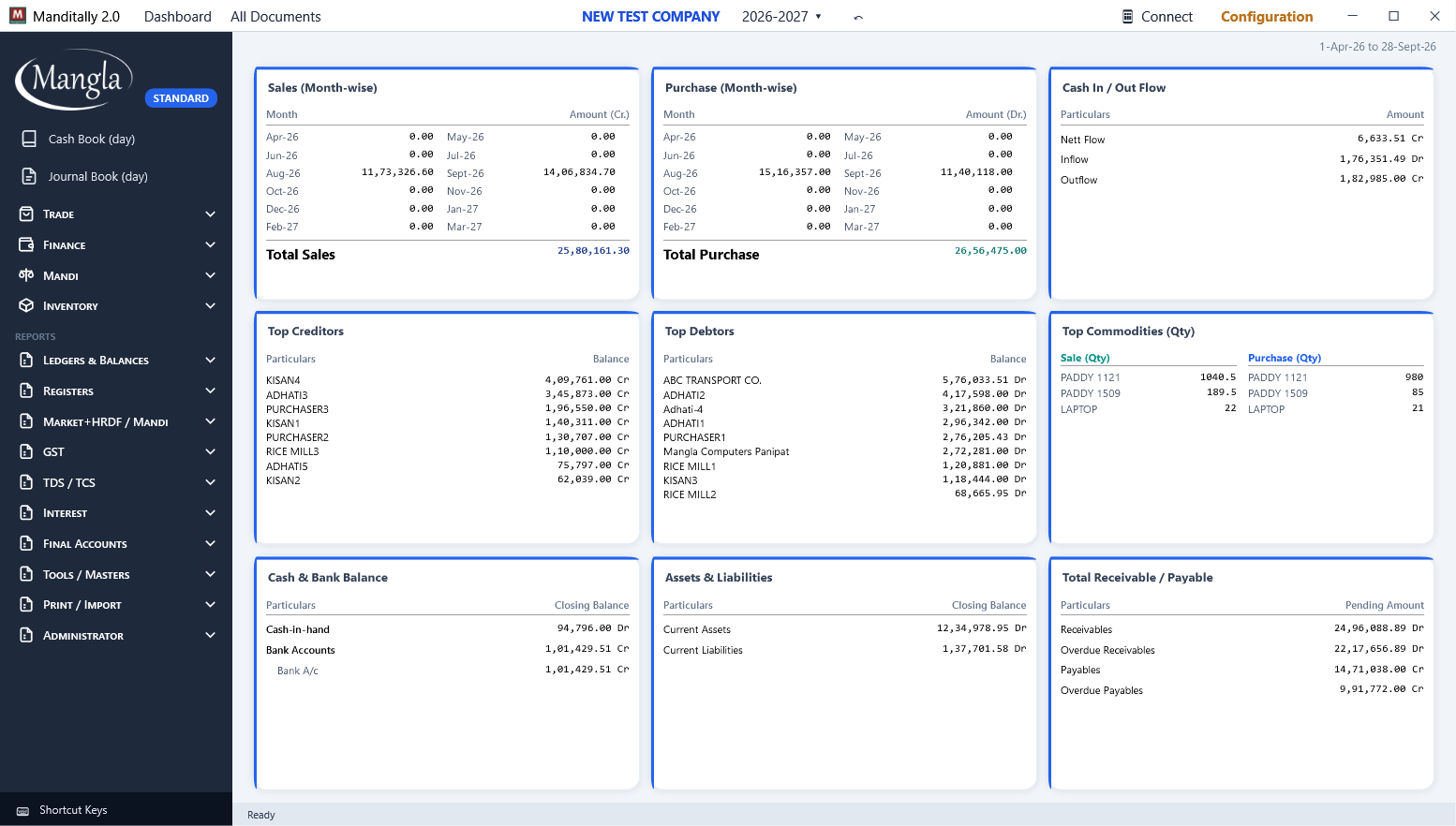
Everything a mandi office needs, built the way the mandi works
Every entry posts to the books in one transaction. Edit a bill and the books follow. Cancel it and the audit trail stays.
Mandi forms
Form-I (Cr. and Dr.), Form-J auction with a farmer on every line, market fee and HRDF returns Form-M, A, L1 and E, dheri tag stickers.
फॉर्म-I, फॉर्म-J नीलामी, मार्केट फीस के फॉर्मBilling and trade
Sale and purchase bills with per-line GST and multi-tax, cash memos, debit and credit notes, delivery and transfer challans, bardana.
सेल-परचेज़ बिल, मेमो, डेबिट-क्रेडिट नोट, चालानGST without the headache
GST summary, GSTR-1, 2 and 3B in Tally-style sections, HSN summary, GSTR-2B reconciliation, e-invoice and e-way bill JSON ready for the portals.
GSTR-1/2/3B, HSN, 2B मिलान, e-invoice और e-way bill JSONTDS, TCS and interest
TCS 206C(1H) on sales, TDS 194Q on purchases, TDS and TCS reports, interest statements (simple, compound, group-wise), depreciation.
TDS, TCS, ब्याज और मूल्यह्रास की रिपोर्टBooks and final accounts
Day, cash and journal books, account ledgers, due date balance, trial balance, trading and P&L, balance sheet, closing stock, year-end carry forward.
रोज़नामचा, खाता, ट्रायल बैलेंस, P&L, बैलेंस शीटStock and inventory
Stock balance and detail, inward and outward, stock journal, milling, consignment, bardana balance, batch expiry.
स्टॉक, मिलिंग, कंसाइनमेंट, बारदानाPrinting that fits your paper
Bill templates with your logo, cheque printing on any bank's cheque, bulk print, tag stickers, every report to PDF, Excel or email.
लोगो वाले बिल, चेक प्रिंटिंग, PDF / Excel / ई-मेलMobile app
Android companion app synced with the office PC over your network: entries and reports from the mandi floor. Included in Standard and Premium.
ऑफिस PC से जुड़ा Android ऐप (Standard और Premium में)Safe and simple
Data stays on your own PC in encrypted files, automatic backups, multi-user on LAN, global search across the whole year, F1 opens the manual in English or Hindi.
आपका डेटा आपके PC पर, ऑटो बैकअप, F1 पर हिन्दी मैनुअलBuy once. Use for ever.
One-time price per computer. The yearly renewal is optional and covers updates and support. Prices include GST.
Basic
Core daily mandi accounting
- Cash Book, Journal Book, vouchers
- Form-I (Dr.), Form-J, Sale / Purchase Memo
- Core reports: Ledger, A/c Balance, Stock, Registers
- GST Summary, GSTR-1 / 2 / 3B
- Trial Balance, P&L, Balance Sheet
Standard
Full billing, GST / TDS and the mobile app
- Everything in Basic
- Full Sale / Purchase Bills, Multi-Tax, Dr / Cr Notes
- Form-I (Cr.), Delivery Challan, market forms M / A / L1 / E
- GST export, 2B reconciliation, HSN, TDS / TCS, depreciation
- Bank import, cheque printing, email reports, tag stickers
- 📱 Mobile app included
Premium
Everything, plus stock transfers
- Everything in Standard
- Stock transfers: Inward, Outward, Stock Journal
- Receive Transfer (in), Inward / Outward report
- All 100+ screens, no limits
- 📱 Mobile app included
| Feature | Basic | Standard | Premium |
|---|---|---|---|
| Cash and journal books, receipts, payments, contra | ✓ | ✓ | ✓ |
| Form-I (Dr.), Form-J auction, cash memos | ✓ | ✓ | ✓ |
| Ledgers, registers, trial balance, P&L, balance sheet | ✓ | ✓ | ✓ |
| GST summary, GSTR-1 / 2 / 3B | ✓ | ✓ | ✓ |
| Sale / purchase bills with multi-tax, debit and credit notes | — | ✓ | ✓ |
| Form-I (Cr.), challans, market forms M / A / L1 / E | — | ✓ | ✓ |
| GST export, GSTR-2B reconciliation, HSN, TDS / TCS, interest, depreciation | — | ✓ | ✓ |
| Bank statement import, cheque printing, email reports, tag stickers | — | ✓ | ✓ |
| Mobile app (Android) | — | ✓ | ✓ |
| Inward, outward, stock journal, receive transfer | — | — | ✓ |
Each licence activates on one computer and can be moved to a new computer with the unlock key sent at activation. Multi-user on a network: ask us.
See it working
Quick tour
Dashboard, documents, sale bill, stock, GST, market fees and final accounts in 46 seconds.
Sale Bill, step by step (हिन्दी)
Party, items, expenses, summary and save, with Hindi narration.
Sale Bill, step by step (English)
The same walkthrough with English narration.
A look inside
Click any screen to enlarge. All screens come from the current release.
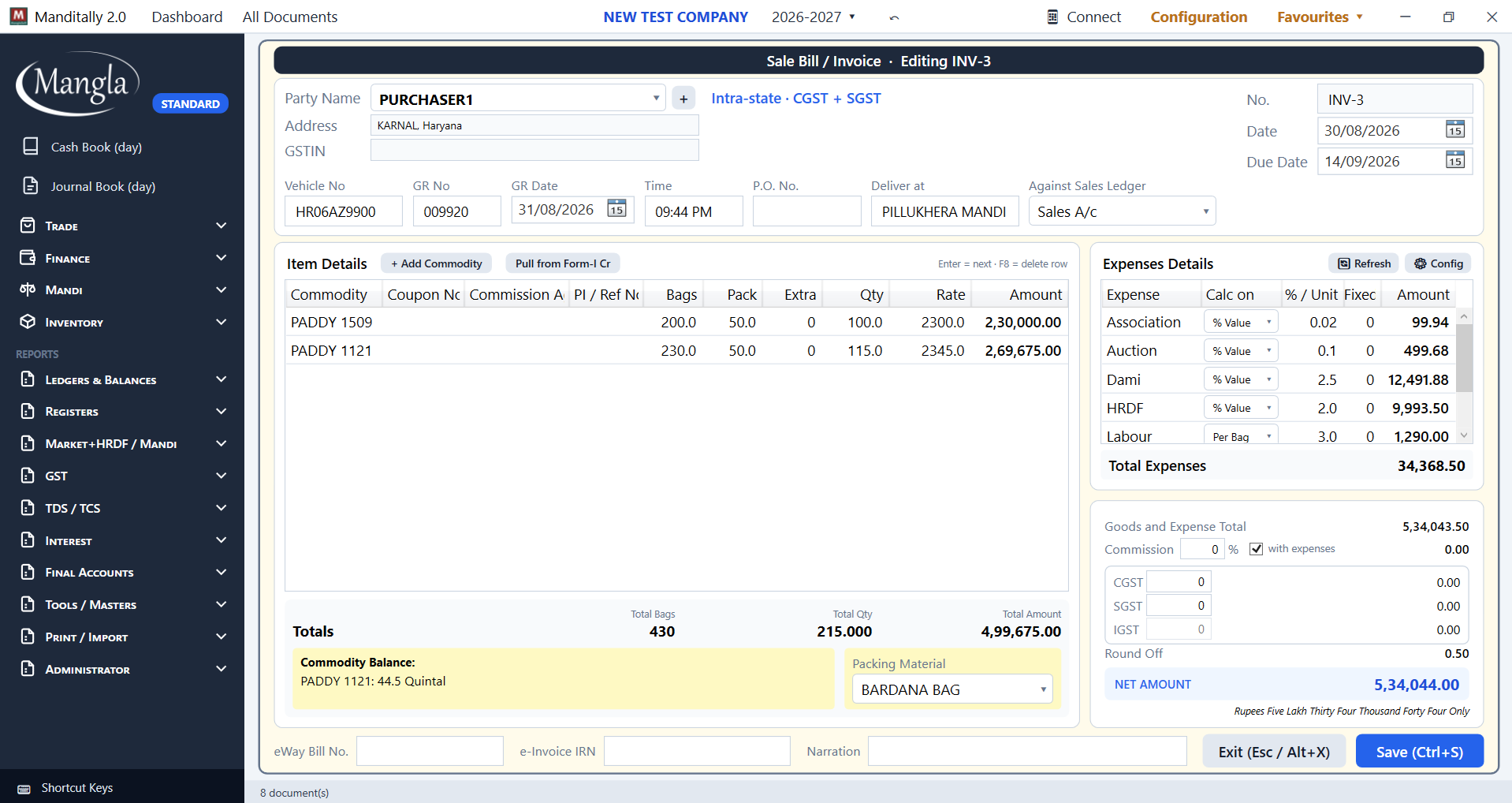 Sale Bill / Invoice
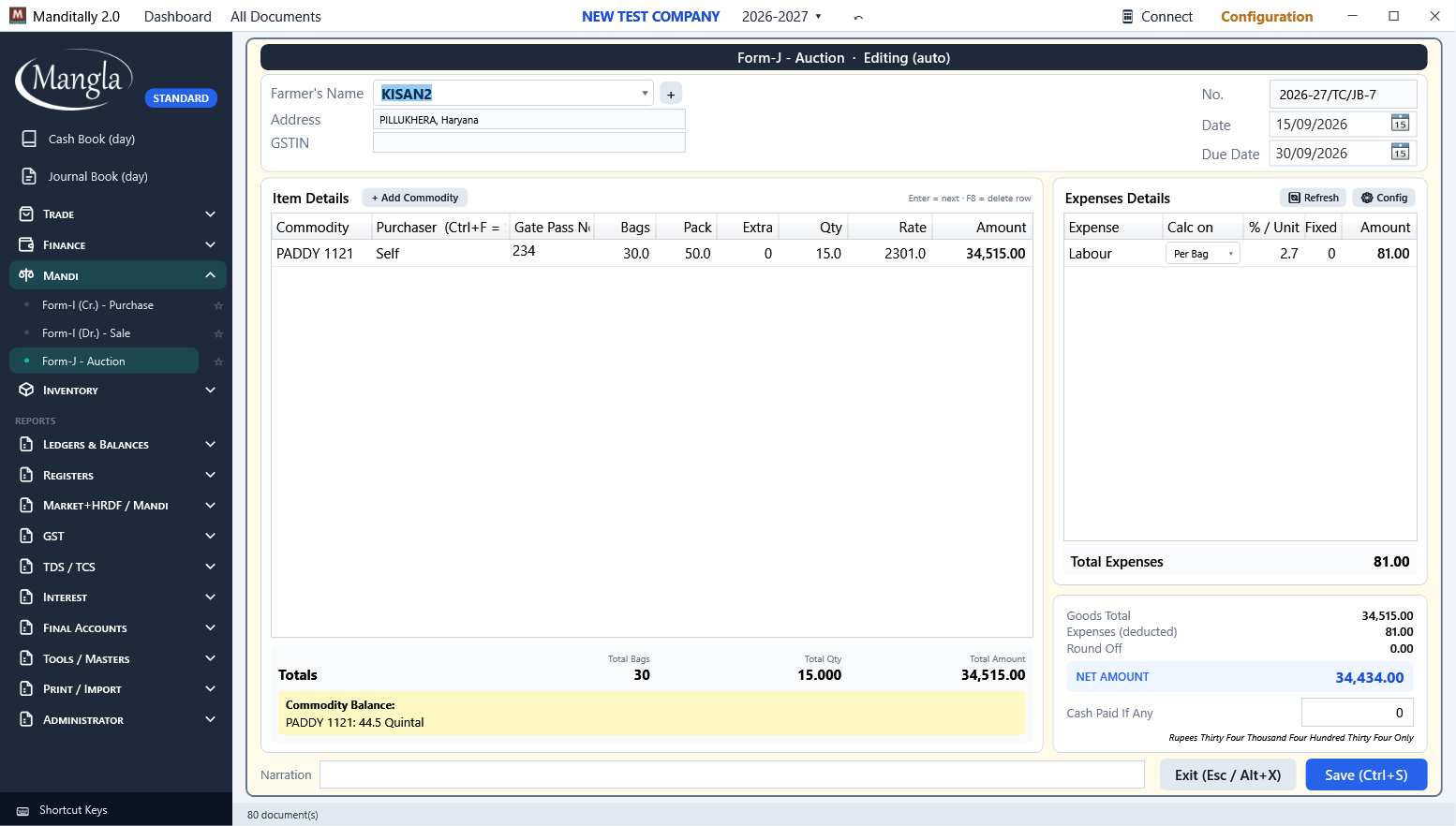 Form-J auction
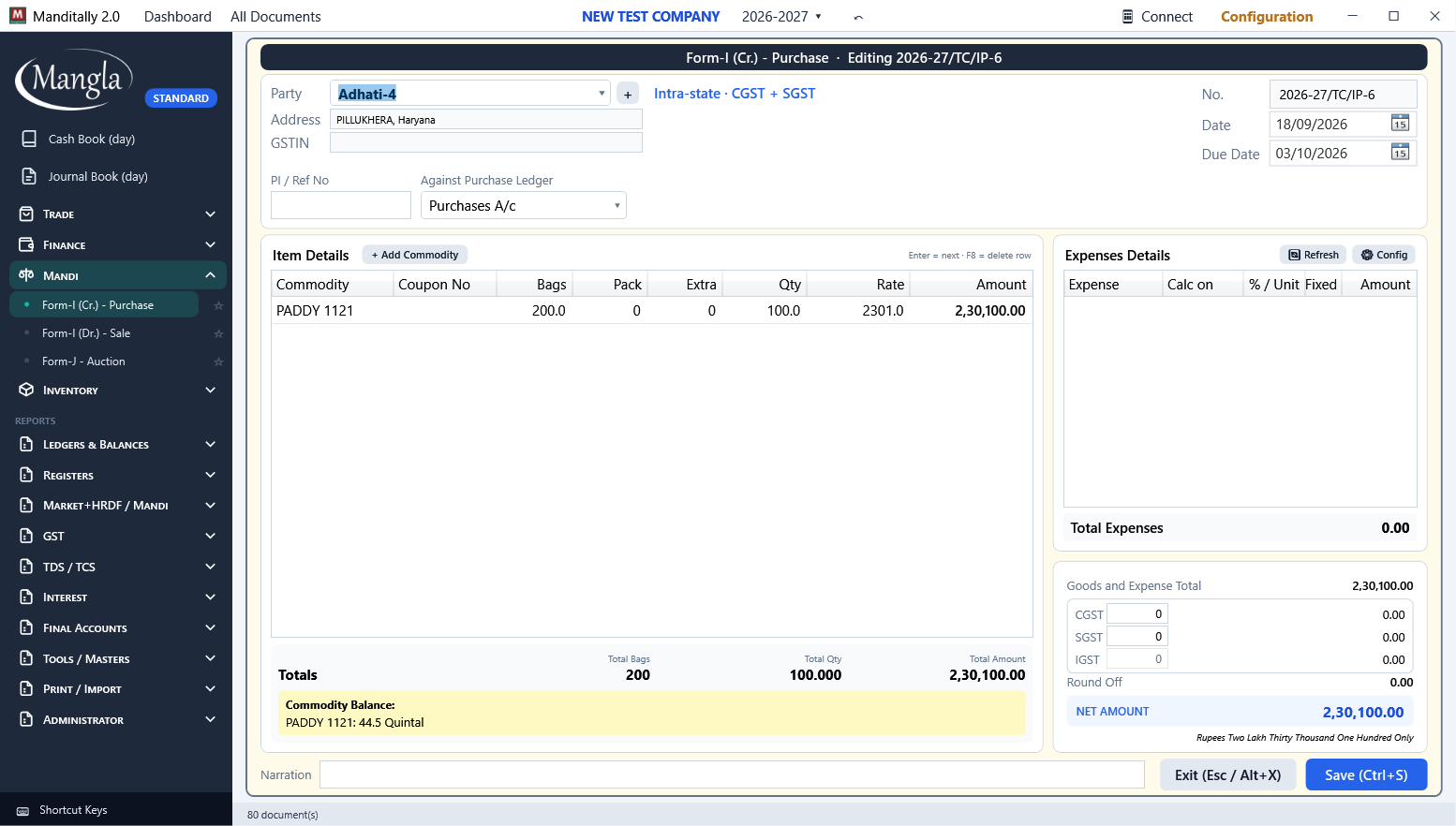 Form-I (Cr.)
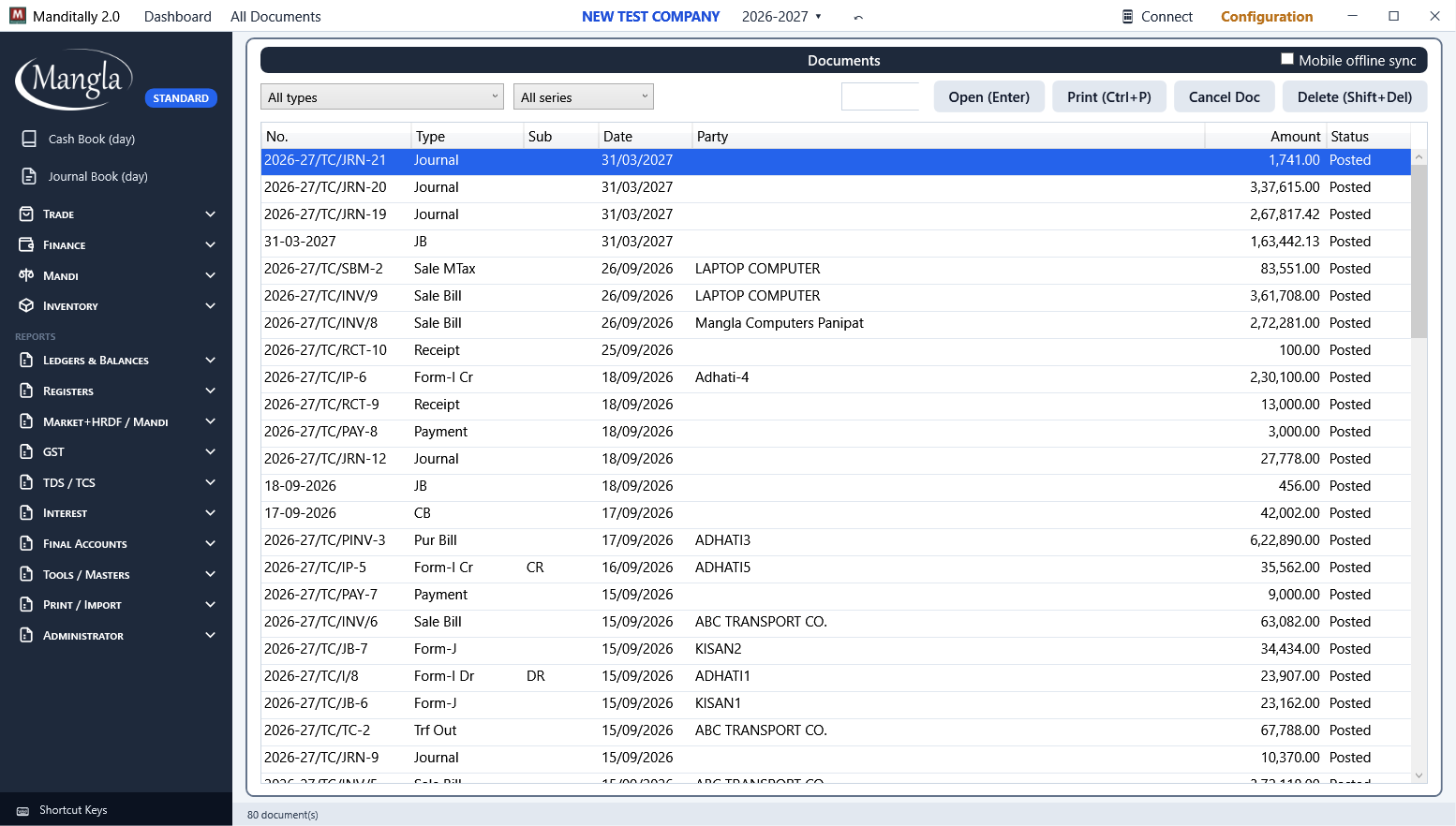 All Documents
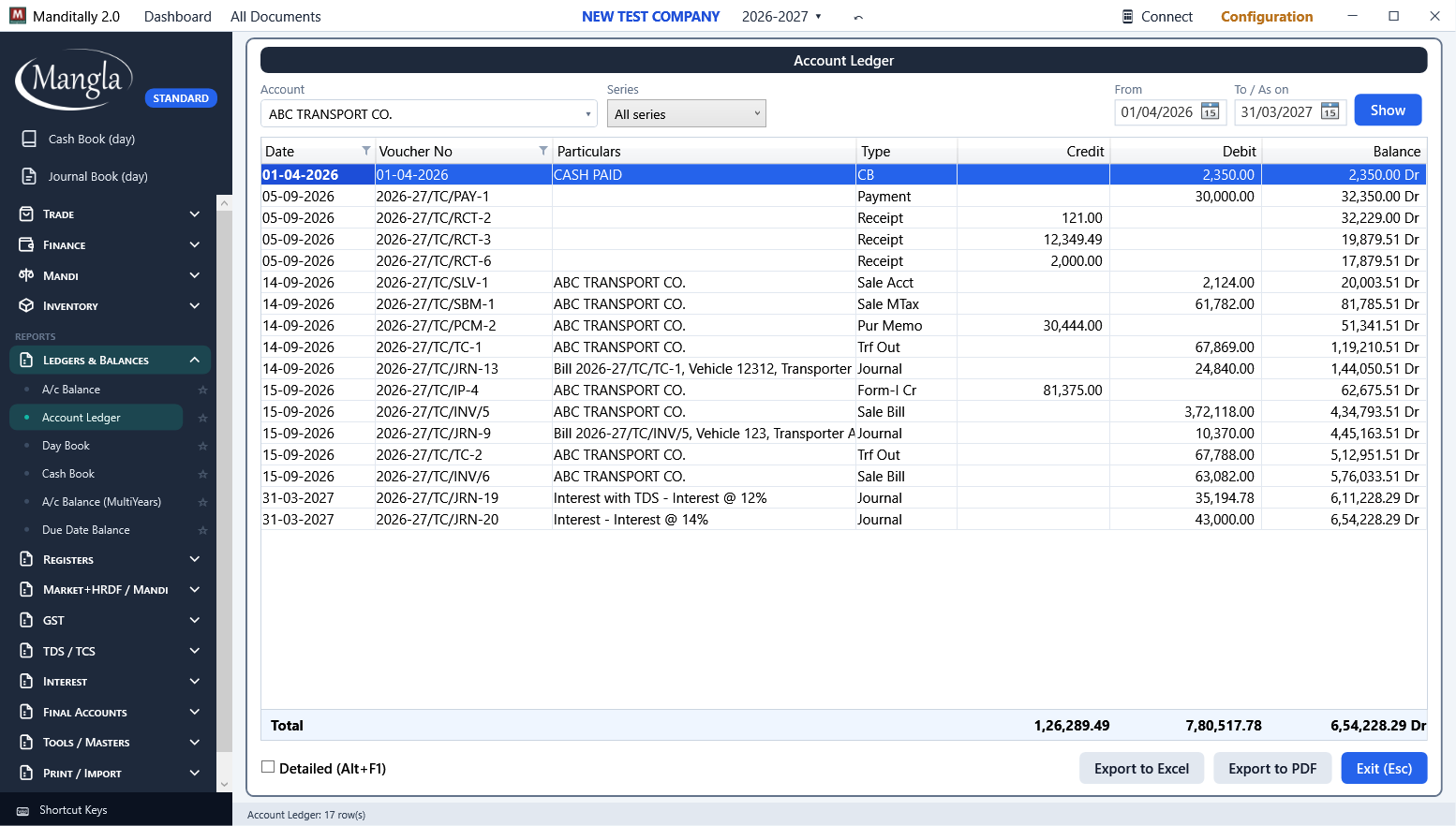 Account Ledger
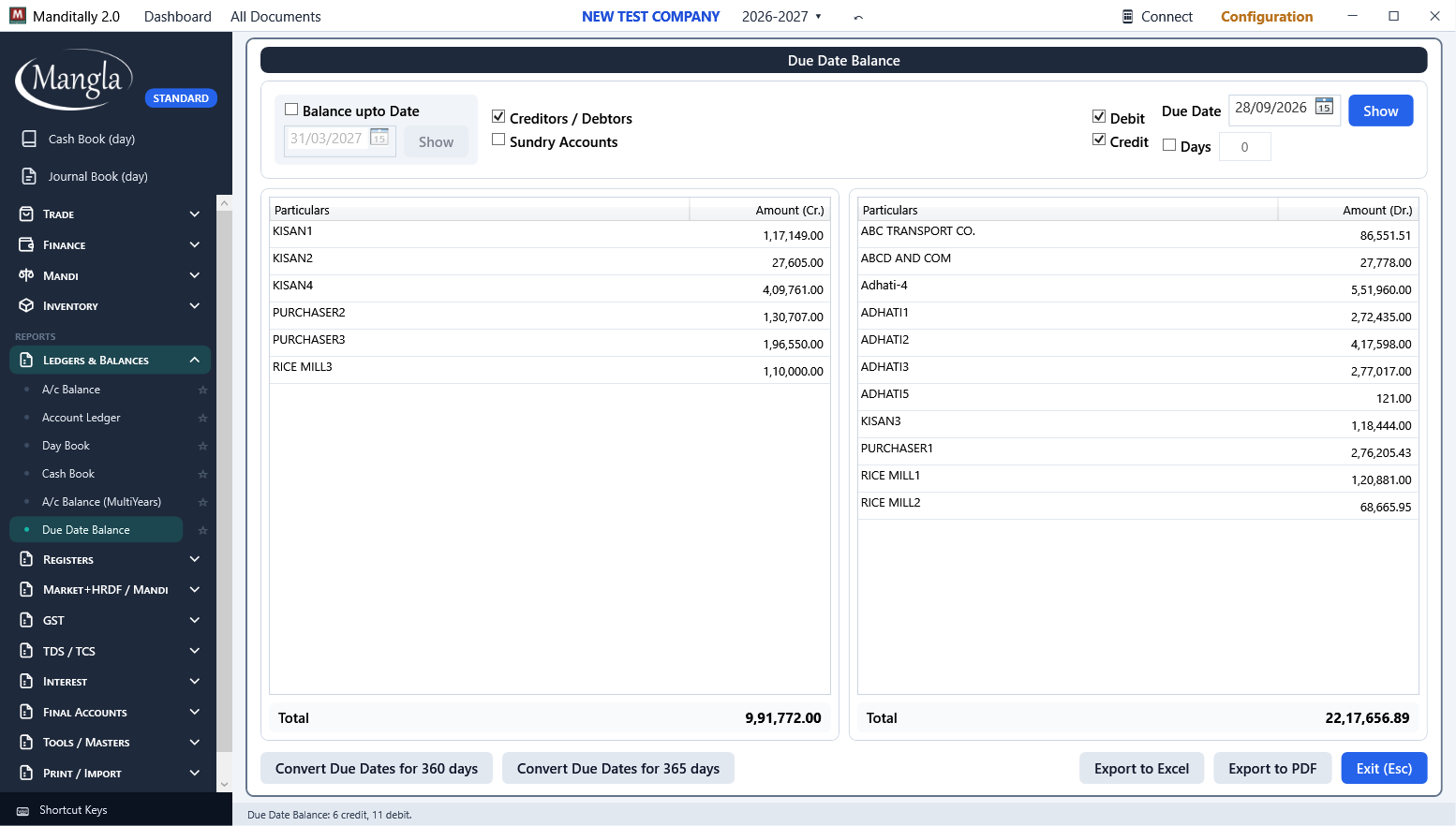 Due Date Balance
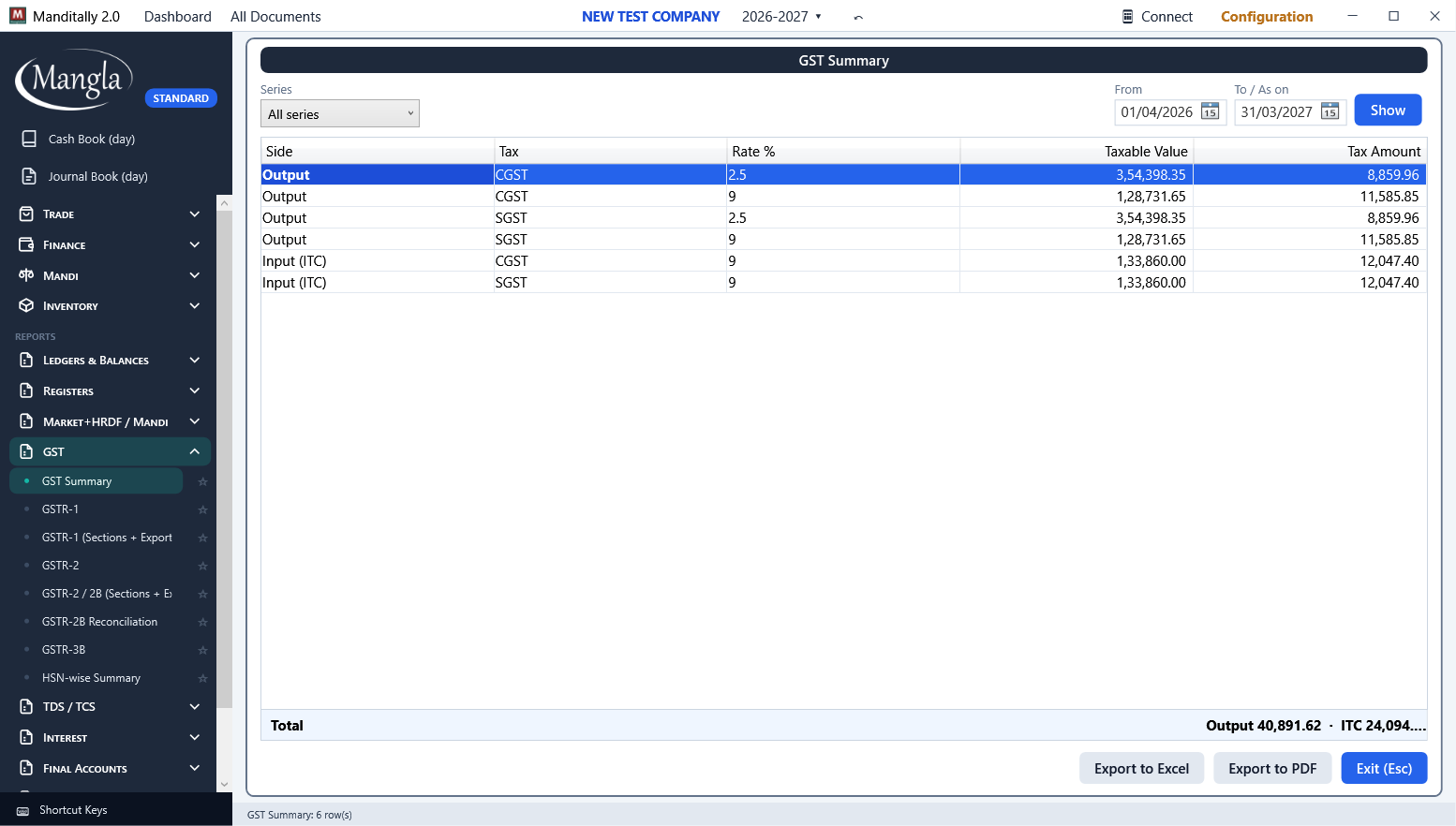 GST Summary
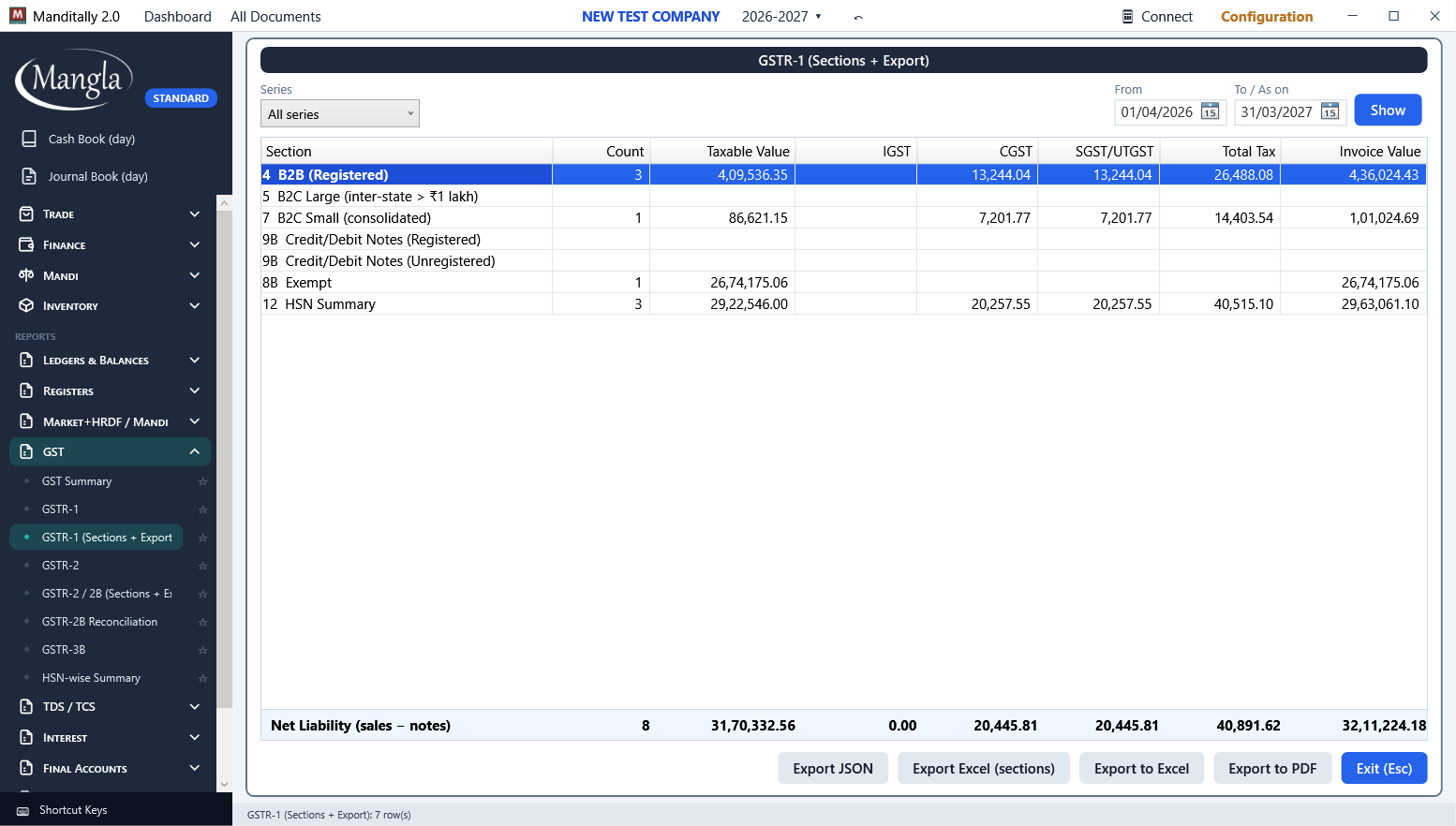 GSTR-1, Tally-style sections
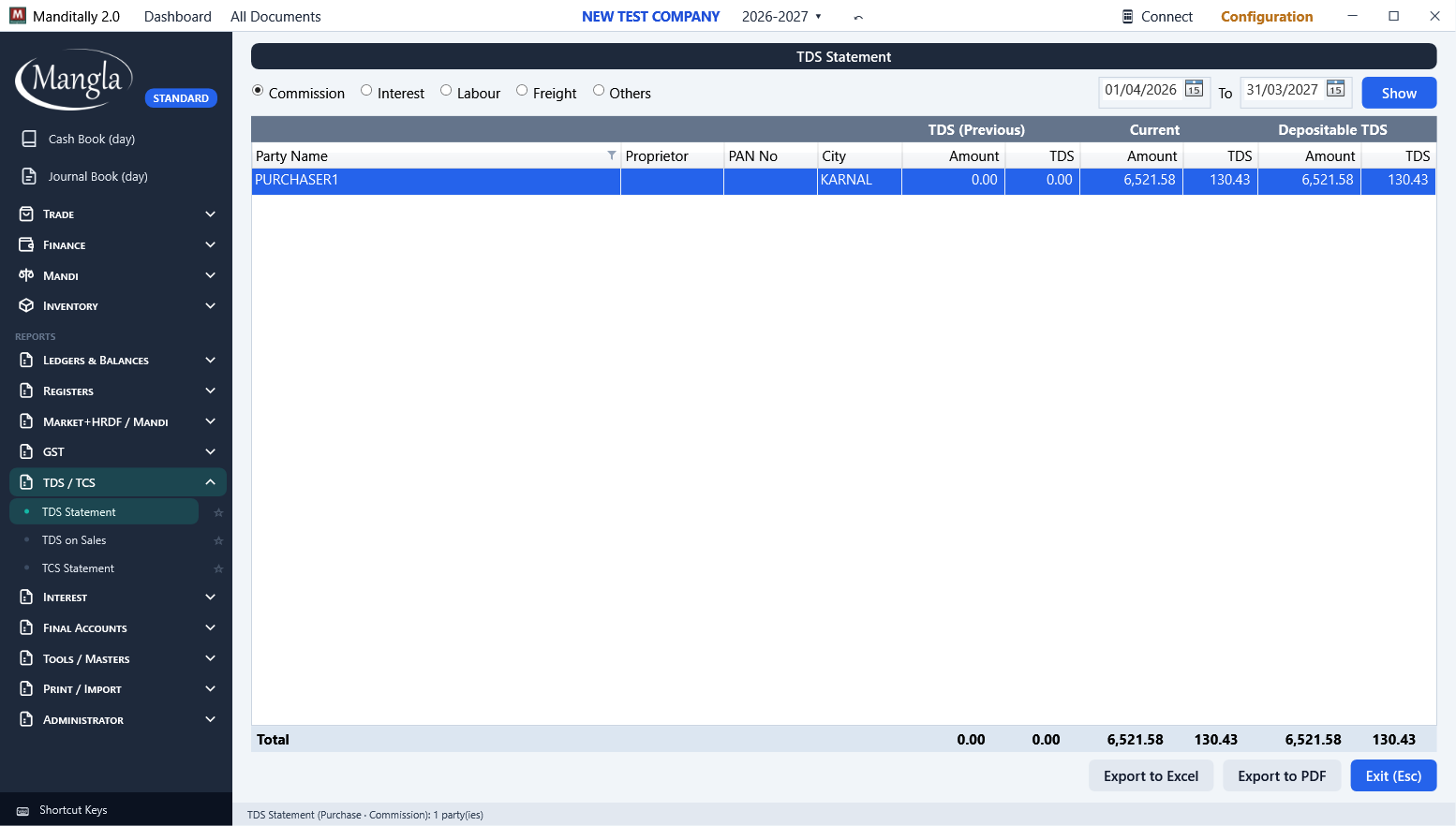 TDS report
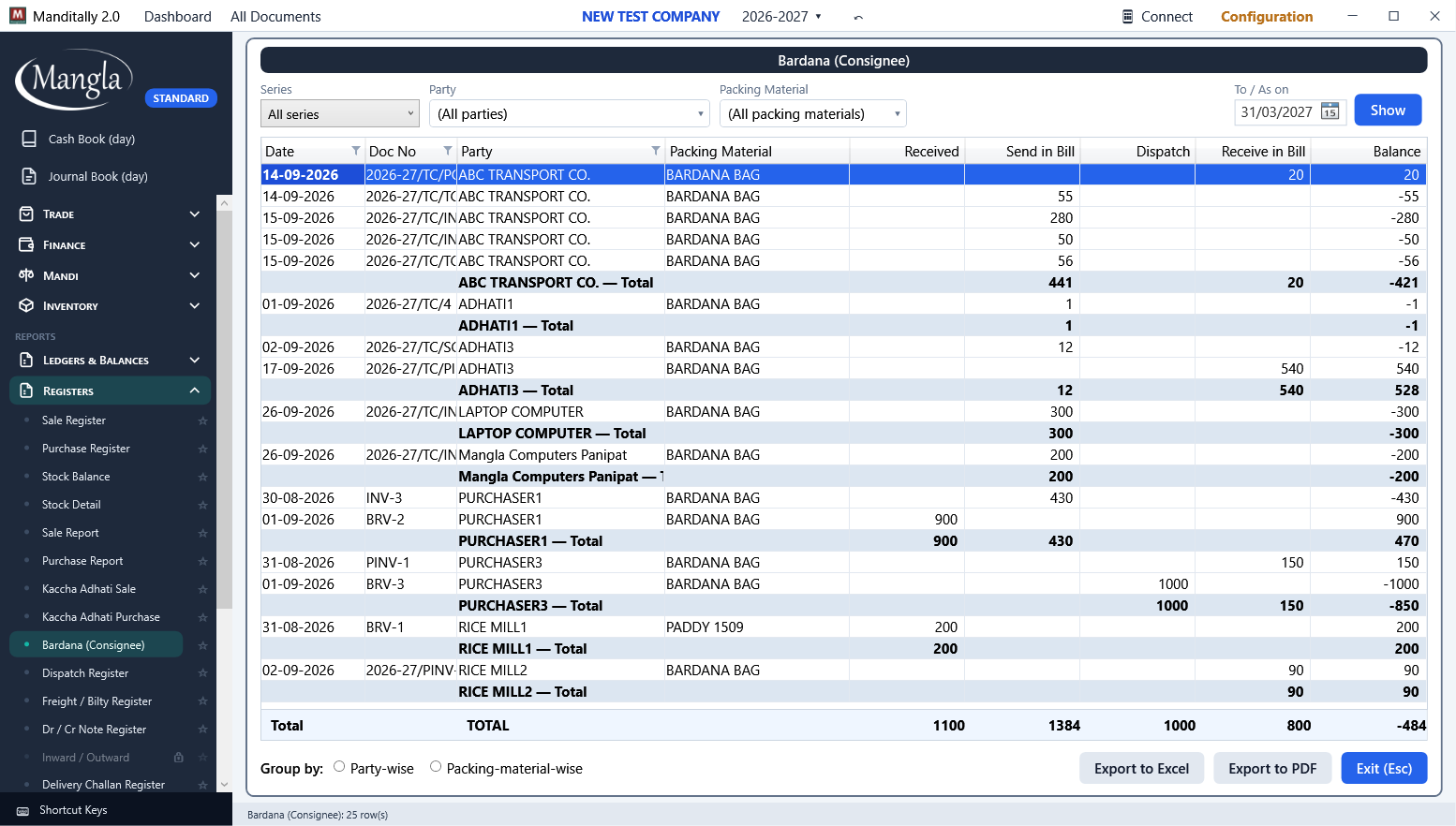 Bardana Balance
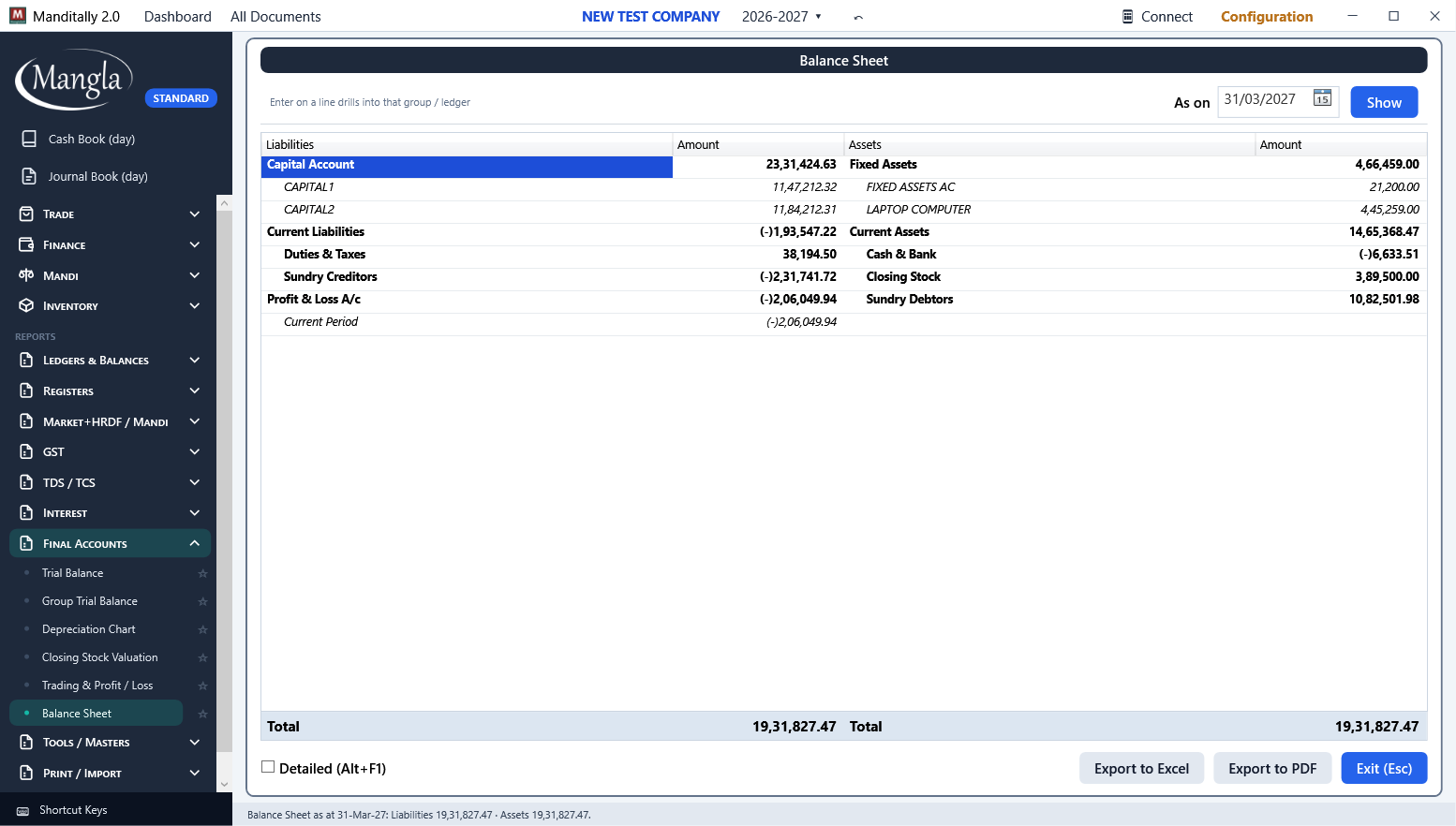 Balance Sheet
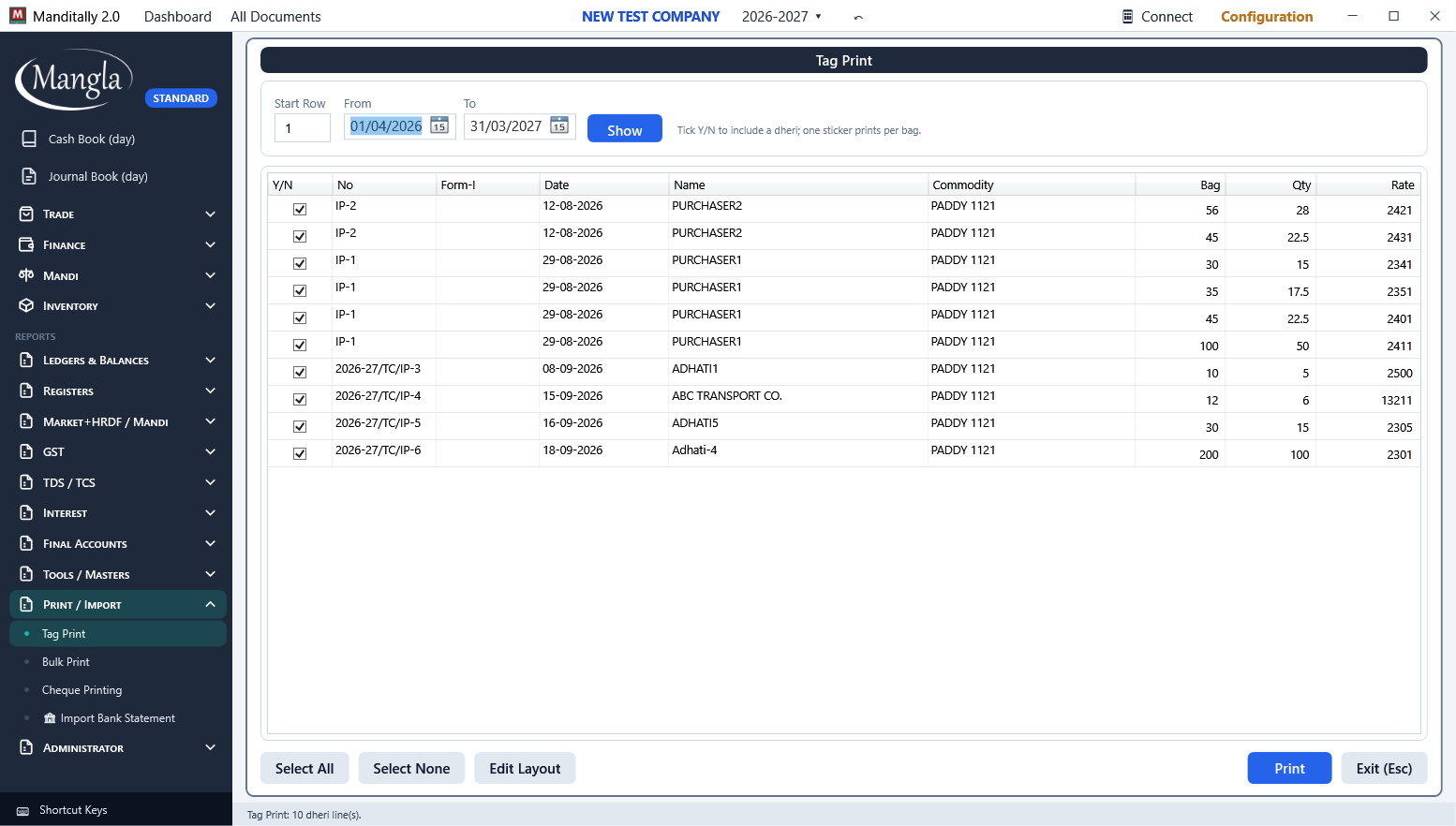 Tag stickers
From purchase to first bill in minutes
Buy the edition you need
You receive a 9-digit serial number and a one-time scratch key on your registered email.
Install
One Setup.exe, nothing else to install. Works on Windows 10 and 11.
Activate
Enter the serial, your email and the scratch key. An unlock key is emailed to you; keep it, it is your licence password.
Create your company
Name, financial year, GSTIN. Masters and opening balances follow. F1 opens the manual on any screen.
Installer, mobile app and the manual
The desktop program needs a licence to run. Existing customers can re-install from here any time.
Manditally 2.0 for Windows
Download SetupMobile app for Android
Download APKUser manual
Open the manualTalk to us
Mangla Computers · ManglaSoft
- info@manglasoft.com
- Hours
- Monday to Saturday, 10 am to 7 pm (IST)
For purchase, activation or a lost key, write to us with your serial number and registered email.
Activation help
No internet on the billing PC? Use the Offline tab in the Activation window: send us the Request Code on email or WhatsApp and paste back the Activation Code we return.
Moving to a new computer? Choose Reactivate and enter your registered email and the unlock key from your first activation.
बिना इंटरनेट वाले कंप्यूटर पर Offline टैब से activation होता है। नये कंप्यूटर पर Reactivate चुनें।